
Click the "Reports" button to expand the list of available document types you can generate.
The portal offers four reporting workflows:
- Cross section report — a summary of the terrain cross-sections created within the project.
- Volume report — a summary of volume measurements, including results from automatic stockpile detection.
- Measurement report — a summary of all measurements performed within the project.
- Inspection report — a summary of inspection photos complete with annotations.
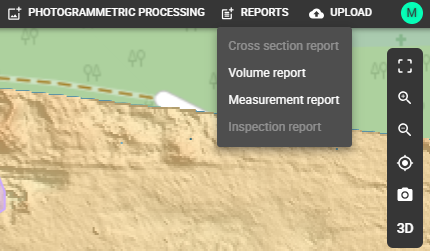
ATTENTION: A specific report type can only be generated if the project contains at least one object that can be included in it. If no such objects exist, the menu item will be grayed out — for example, if there are no volume measurements in the project, the Volume report will be inactive.
NOTE: The report will only include visible data—any objects that are hidden in the project will be excluded.
You can find detailed descriptions of each report in their respective articles—such as the volume report details in the "Automatic stockpiles recognition" article, and cross-sections in the "Automatic cross-section" article.