---
title: 2025-11-28 | Update
description: Discover the latest SkySnap updates, including support for 3D mesh models, photo annotations, measurement reports, the ability to add your own logo to reports, and festive accents in the DEMO organization.
---
[Skip to content](https://help.skysnap.com/en/2025-11-28-update#main-content)
- [English](https://help.skysnap.com/en/2025-11-28-update)
- [Polski](https://help.skysnap.com/2025-11-28-update)
English
Show submenu for translations

Open main navigation
Close main navigation
- - [English](https://help.skysnap.com/en/2025-11-28-update)
- [Polski](https://help.skysnap.com/2025-11-28-update)
English
Show submenu for translations
- [Contact us](mailto:app@skysnap.com)
[Contact us](mailto:app@skysnap.com)
How can we help you?
- There are no suggestions because the search field is empty.
1. [Portal SkySnap Documentation (en)](https://help.skysnap.com/en?hsLang=en)
2. [SkySnap Portal](https://help.skysnap.com/en/skysnap-portal?hsLang=en)
3. [Technical release notes](https://help.skysnap.com/en/skysnap-portal?hsLang=en#technical-release-notes)
# 2025-11-28 | Update
## See what new features and optimizations have been introduced in the SkySnap portal.
---
##### Table of Contents:
**[Improvements](https://help.skysnap.com/en/2025-11-28-update#improvements)**
[3D Mesh Model Support](https://help.skysnap.com/en/2025-11-28-update#threed_mesh_model_support)
[Photo Annotations](https://help.skysnap.com/en/2025-11-28-update#photo_annotations)
[Compass in 3D View](https://help.skysnap.com/en/2025-11-28-update#compass_in_3d_view)
[Measurement Report Support](https://help.skysnap.com/en/2025-11-28-update#measurement_report_support)
**[Changes](https://help.skysnap.com/en/2025-11-28-update#changes)**
[Change to the Organization Selector Location](https://help.skysnap.com/en/2025-11-28-update#change_to_the_organization_selector_location)
[Logo as Report Personalization](https://help.skysnap.com/en/2025-11-28-update#logo_as_report_personalization)
[Scaling of Labels and Pins](https://help.skysnap.com/en/2025-11-28-update#scaling_of_labels_and_pins)
[Editing Coordinates and Elevation in Pins](https://help.skysnap.com/en/2025-11-28-update#editing_coordinates_and_elevation_in_pins)
[Holiday Accents in the App🎄](https://help.skysnap.com/en/2025-11-28-update#holiday_accents_in_the_app)
[Interactive Snow and a Virtual Christmas Tree](https://help.skysnap.com/en/2025-11-28-update#interactive_snow_and_a_virtual_christmas_tree)
---
### Improvements
#### 3D Mesh Model Support
Support for visualizing and interacting with mesh models in the 3D view has been introduced. Users can now load and browse high-resolution terrain and object models obtained, for example, from photogrammetry, significantly expanding the possibilities for spatial analysis and inspection.
#### Photo Annotations
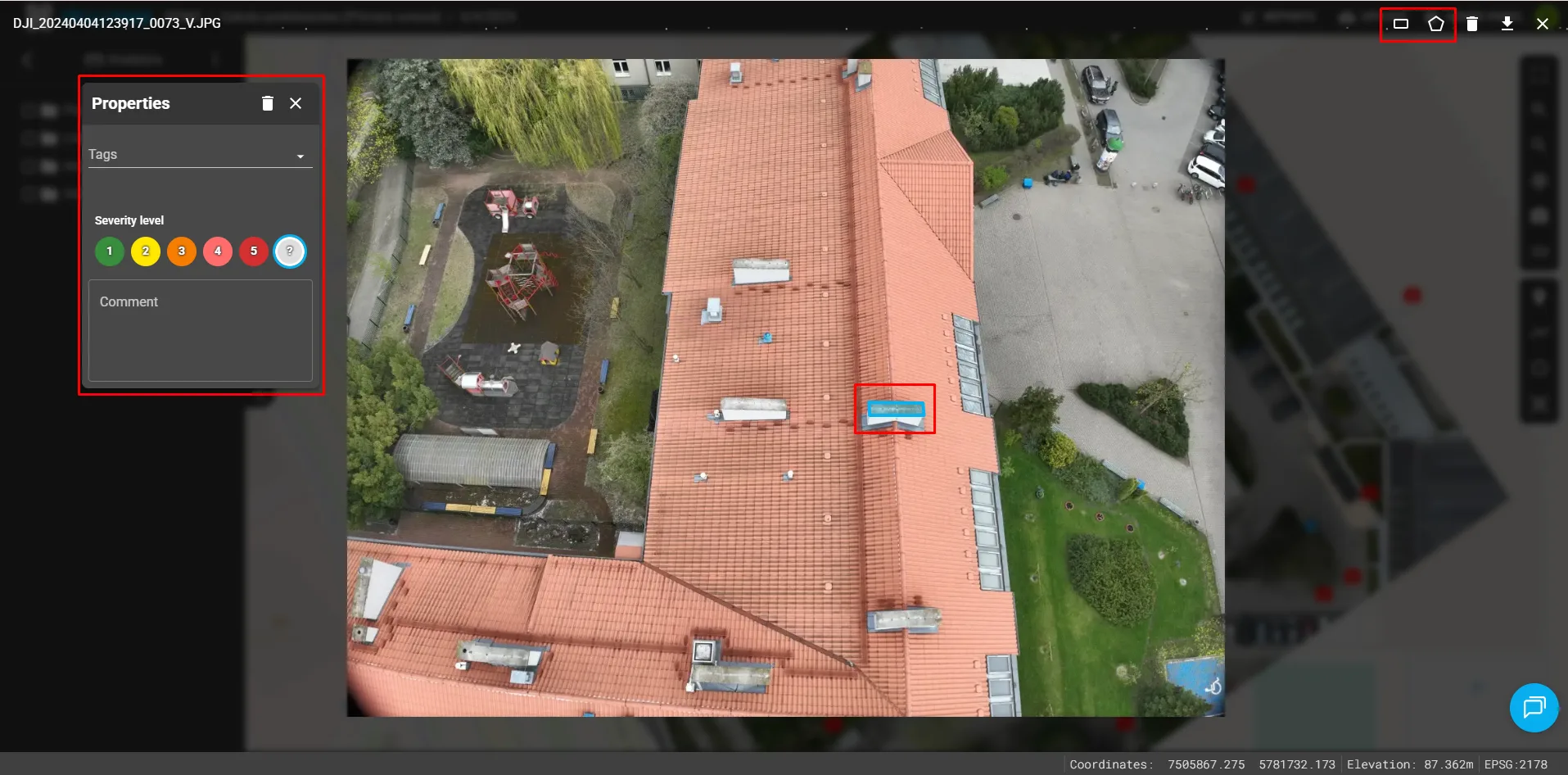
A new feature has been added that allows users to add annotations directly to photos in a dedicated view. This makes it easier to quickly mark points of interest and submit comments.
[](https://skysnap.pl/wp-content/uploads/2025/12/1.webp)
#### Compass in 3D View
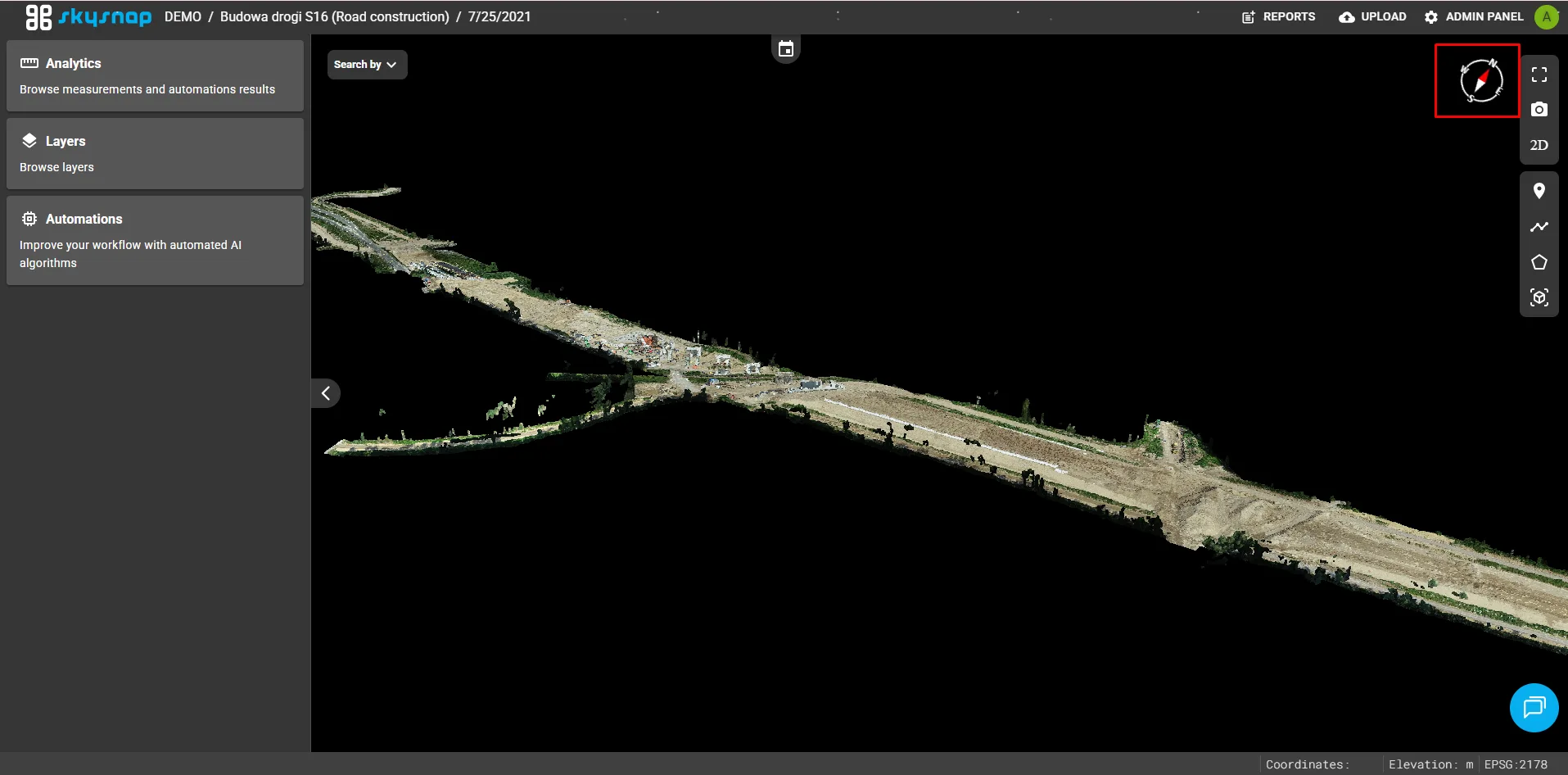
A compass has been added to the 3D view interface. This helps users maintain spatial orientation while navigating and analyzing 3D models.
[](https://skysnap.pl/wp-content/uploads/2025/12/2.webp)
#### Measurement Report Support
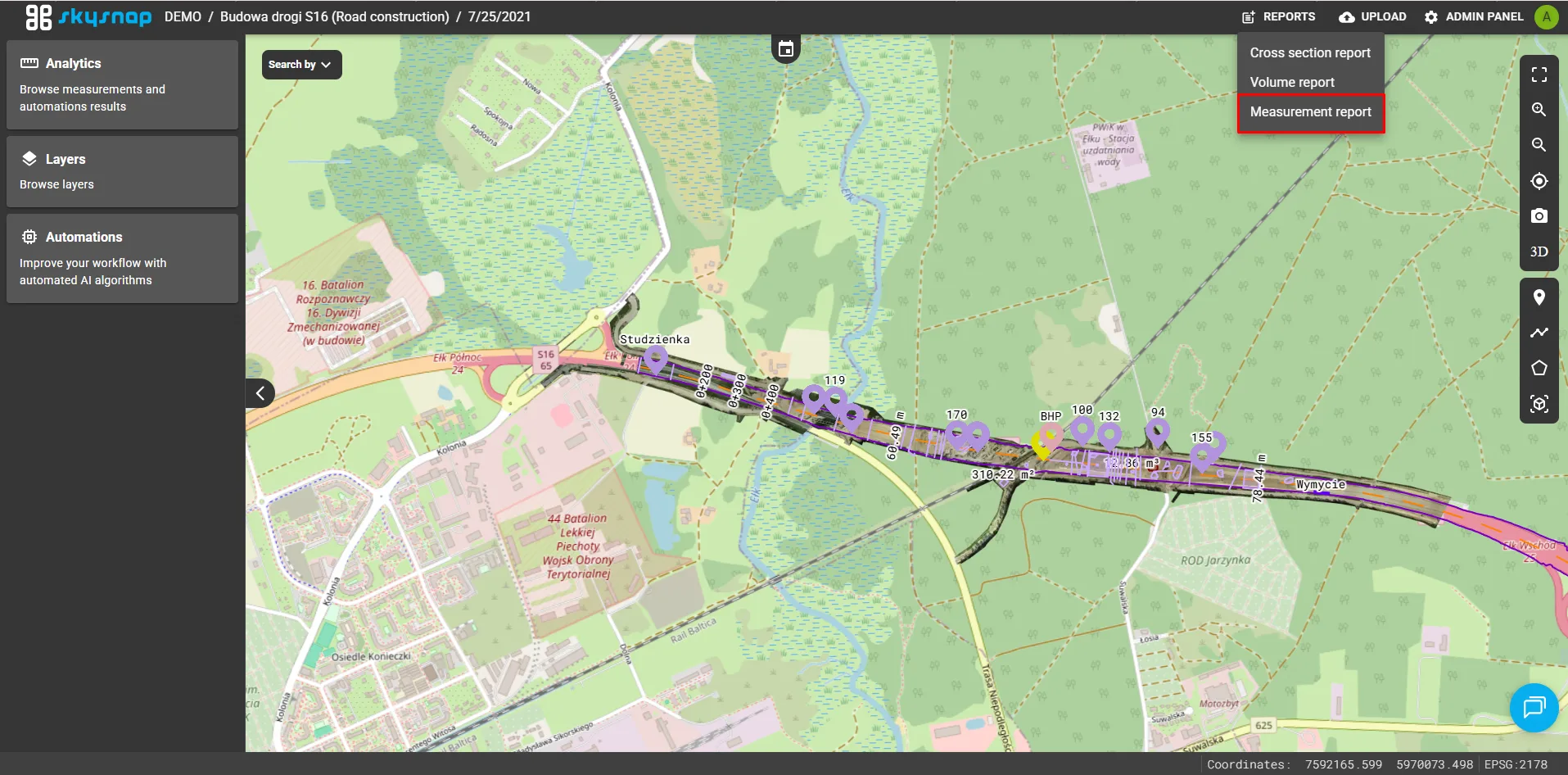
A new module has been added for generating and managing reports based on completed geometric measurements (pins, lengths, and areas). Users can now easily create, review, and export detailed measurement summaries for documentation and analytical purposes.
[](https://skysnap.pl/wp-content/uploads/2025/12/3.webp)
### Changes
#### Change to the Organization Selector Location
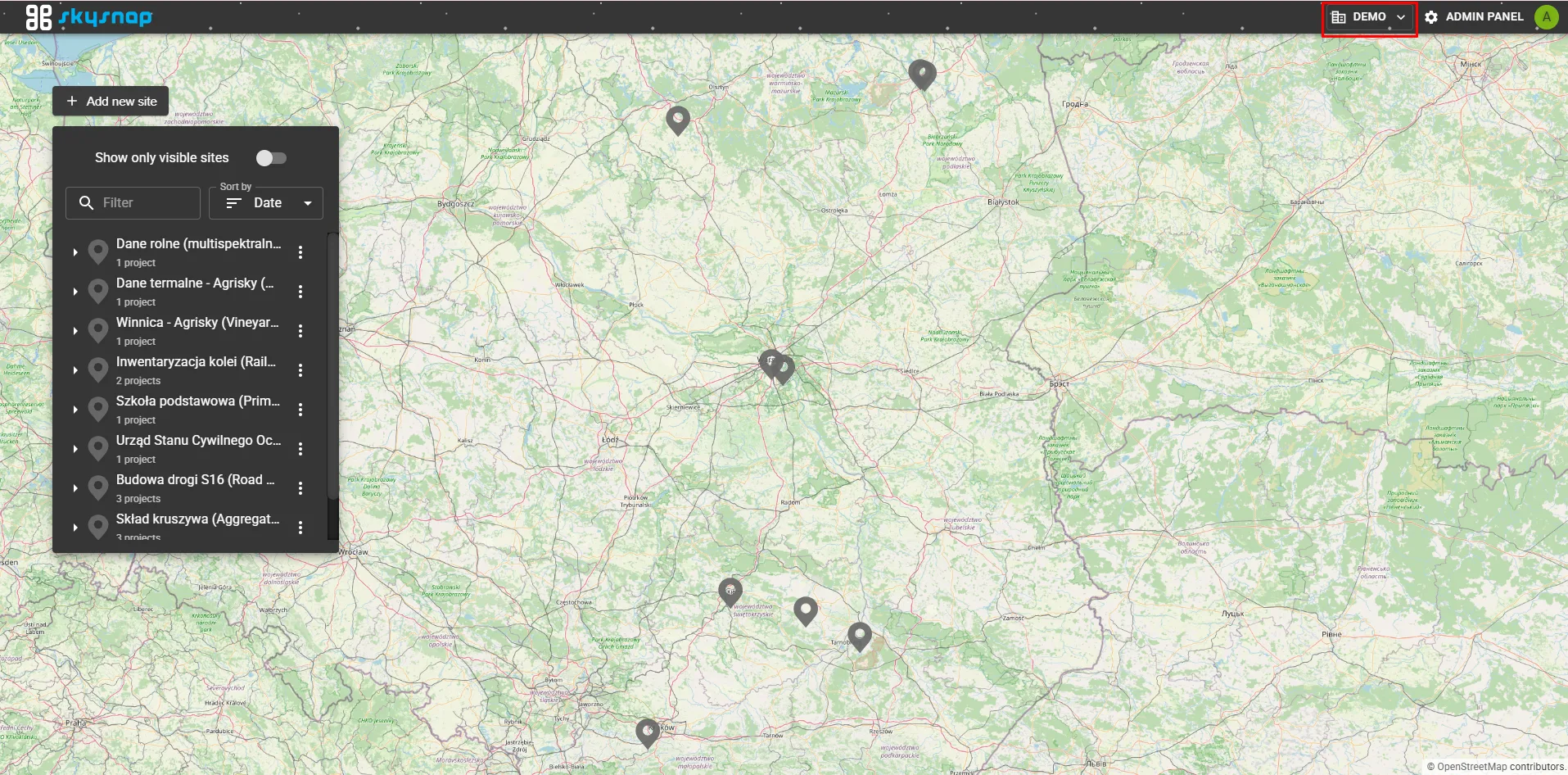
The active organization selector component has been moved from its previous location to the top navigation bar of the interface. This improves accessibility and makes it easier for users managing multiple entities to switch between organizations.
[](https://skysnap.pl/wp-content/uploads/2025/12/4.webp)
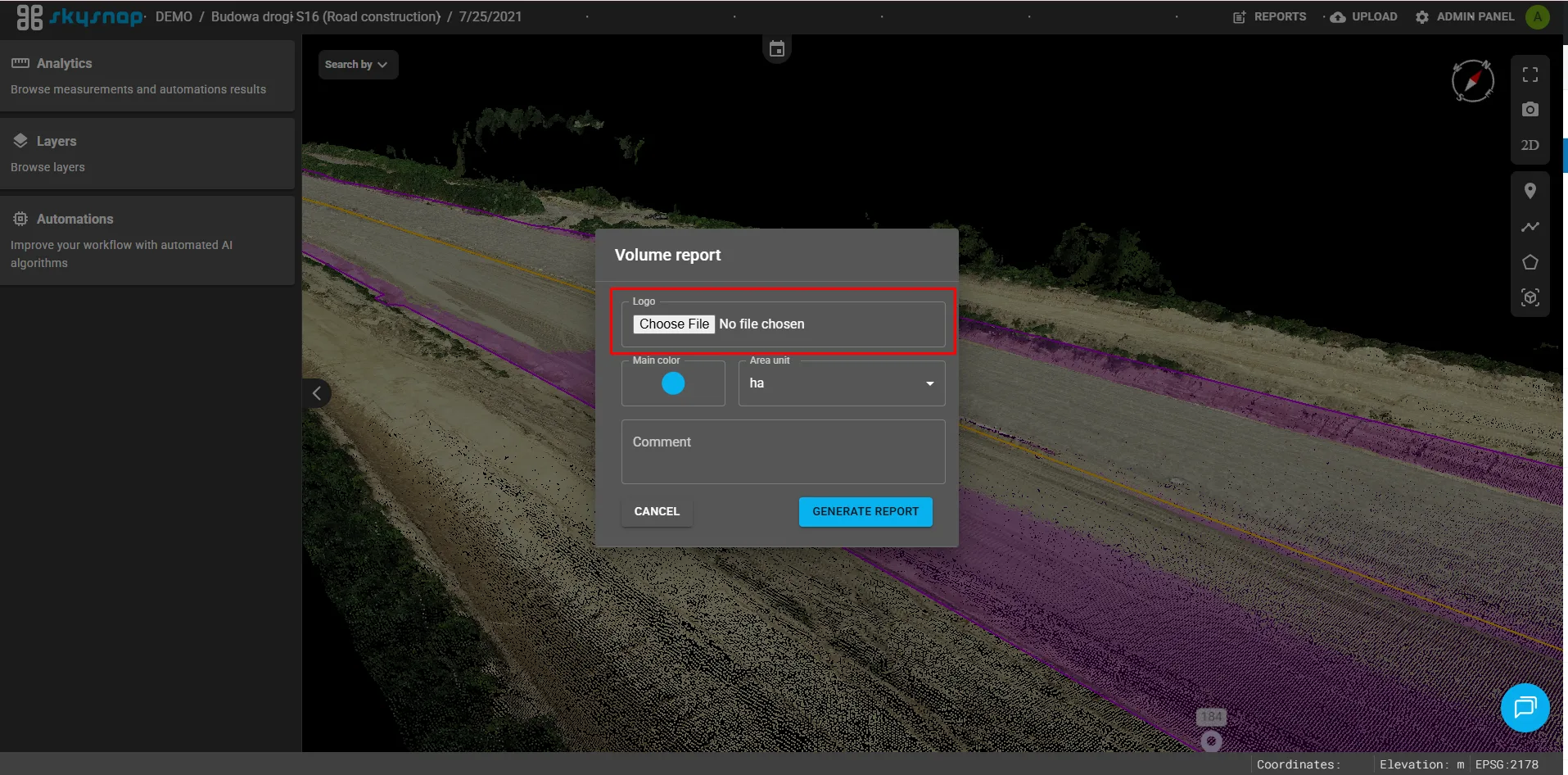
#### Logo as Report Personalization
The option to add a custom logo to generated reports has been introduced. This allows documents to be personalized and helps maintain visual consistency.
[](https://skysnap.pl/wp-content/uploads/2025/12/5.webp)
#### Scaling of Labels and Pins
Dynamic scaling of labels and pins has been implemented depending on the zoom level. This improves the readability of both 2D and 3D views, especially when zooming in or out significantly, by preventing oversized markers from obscuring objects.
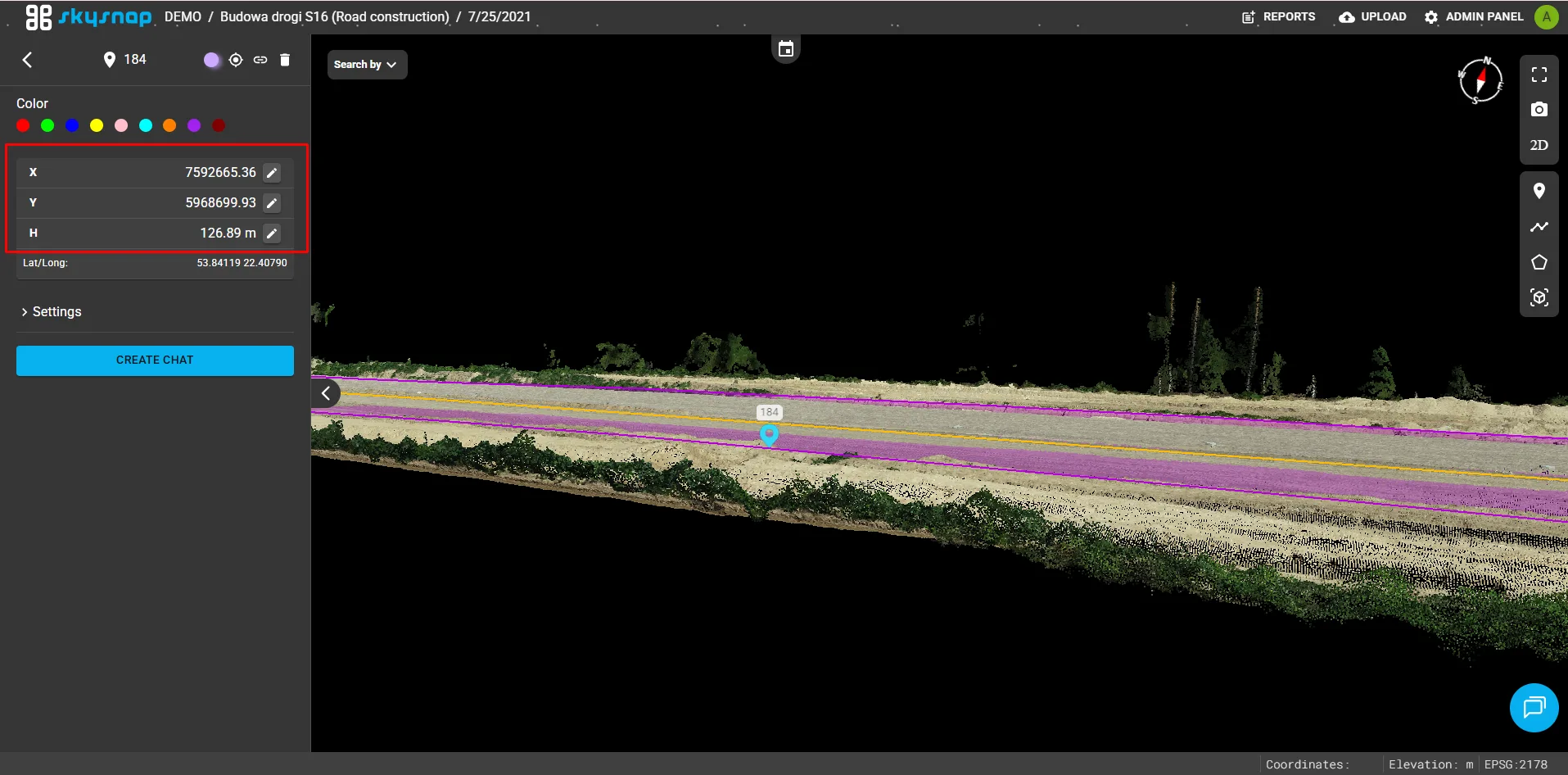
#### Editing Coordinates and Elevation in Pins
Users can now manually edit the coordinates and elevation of existing pins. This provides greater precision and flexibility when positioning reference points in both 2D and 3D views.
[](https://skysnap.pl/wp-content/uploads/2025/12/7.webp)
### Holiday Accents in the App 🎄
#### Interactive Snow and a Virtual Christmas Tree
To celebrate Christmas, an interactive falling snow effect was added to the view, creating a temporary festive atmosphere. As part of a demonstration of new 3D visualization capabilities, an investment featuring a Christmas tree model presented simultaneously as a mesh and a point cloud was added to the DEMO organization, showcasing the technical capabilities of the application.
- [SkySnap Portal](https://help.skysnap.com/en/skysnap-portal?hsLang=en#main-content)
- [First steps](https://help.skysnap.com/en/skysnap-portal?hsLang=en#first-steps)
- [Organization management](https://help.skysnap.com/en/skysnap-portal?hsLang=en#organization-management)
- [Site management](https://help.skysnap.com/en/skysnap-portal?hsLang=en#site-management)
- [Tools & Features](https://help.skysnap.com/en/skysnap-portal?hsLang=en#tools-features)
- [Project Management](https://help.skysnap.com/en/skysnap-portal?hsLang=en#project-management)
- [FAQ](https://help.skysnap.com/en/skysnap-portal?hsLang=en#faq)
- [Integrations](https://help.skysnap.com/en/skysnap-portal?hsLang=en#integrations)
- [Technical release notes](https://help.skysnap.com/en/skysnap-portal?hsLang=en#technical-release-notes)
- [Webinars](https://help.skysnap.com/en/webinars?hsLang=en#main-content)
- [The drone effect in construction](https://help.skysnap.com/en/webinars?hsLang=en#the-drone-effect-in-construction)
- [Drones in real estate](https://help.skysnap.com/en/webinars?hsLang=en#drones-in-real-estate)
- [How to earn money using a drone](https://help.skysnap.com/en/webinars?hsLang=en#how-to-earn-money-using-a-drone)
- [Mission](https://help.skysnap.com/en/webinars?hsLang=en#mission)
- [Product updates](https://help.skysnap.com/en/webinars?hsLang=en#product-updates)
[](https://skysnap.pl)
[mailto:app@skysnap.com](mailto:app@skysnap.com)
Copyright © 2026, SkySnap sp. z o.o.
```json
{
"@context" : "https://schema.org",
"@type" : "VideoObject",
"contentUrl" : "https://144523347.fs1.hubspotusercontent-eu1.net/hubfs/144523347/video_assets/423017864440/inherited/web_optimized.mp4",
"dateModified" : "2026-06-18T14:20:17.427Z",
"duration" : "PT7S",
"height" : 944,
"name" : "0fe5a565-63b8-48a9-9d7c-0e4d9116152c",
"thumbnailUrl" : "https://144523347.fs1.hubspotusercontent-eu1.net/hubfs/144523347/0fe5a565-63b8-48a9-9d7c-0e4d9116152c.mp4/medium.jpg",
"uploadDate" : "2026-06-18T14:20:04.277Z",
"width" : 1918
}
```